
KADDY GOLF GUIDES
How to Start a One and Done Golf League
Starting a One and Done golf league is easier when everyone knows the schedule, scoring, and weekly routine before the first event. This walkthrough follows the choices available in Kaddy so you can move from an idea to a league your group can join.
1. Create your account and open a new league
Create a free Kaddy account, sign in, and open the new-league form from your leagues area. Give the league a name your group will recognize and select the available season you want to play.
Choose a commissioner who can answer questions and explain the rules. Automated scorekeeping helps, but members still need one person to coordinate the group.
2. Choose the tournaments that count
Kaddy offers full-season, custom consecutive-range, signature-event, majors-only, signature-plus-majors, and Fall Series schedules. Review the event list before creating the league. The full-season option covers the main regular season and playoffs; Fall Series is separate.
A shorter schedule gives a new group fewer deadlines to manage. A full season creates more decisions about when to use top golfers. Pick the commitment your members can sustain.
3. Set earnings or FedEx points
Choose the ranking metric in the league form. Earnings adds the prize money won by your selected golfers. FedEx points adds their event points. Explain your choice before inviting members, because the metric changes how events contribute to the season.
Write down your group’s expectations for missed picks, withdrawals, and ties. Confirm what the platform supports before promising any exception or manual adjustment.
4. Review the league and invite your group
Use the setup preview to check the league name, season, scoring, and included events. Once created, use the league’s invitation details to bring in members.
Send a short welcome note with the scoring metric, first event, pick deadline, and a link to the rules. Ask members to join and check their access before tournament week.
5. Run a simple weekly routine
Members open the event field and submit one available golfer before picks lock. After the event, review the applied results and standings. The Picks view keeps season selections in one place.
- Before the first event: verify membership and explain the rules.
- Each tournament week: check the field and displayed pick deadline.
- After results are applied: review standings and answer member questions.
- Before the next event: check remaining golfers and upcoming tournaments.
See it in Kaddy
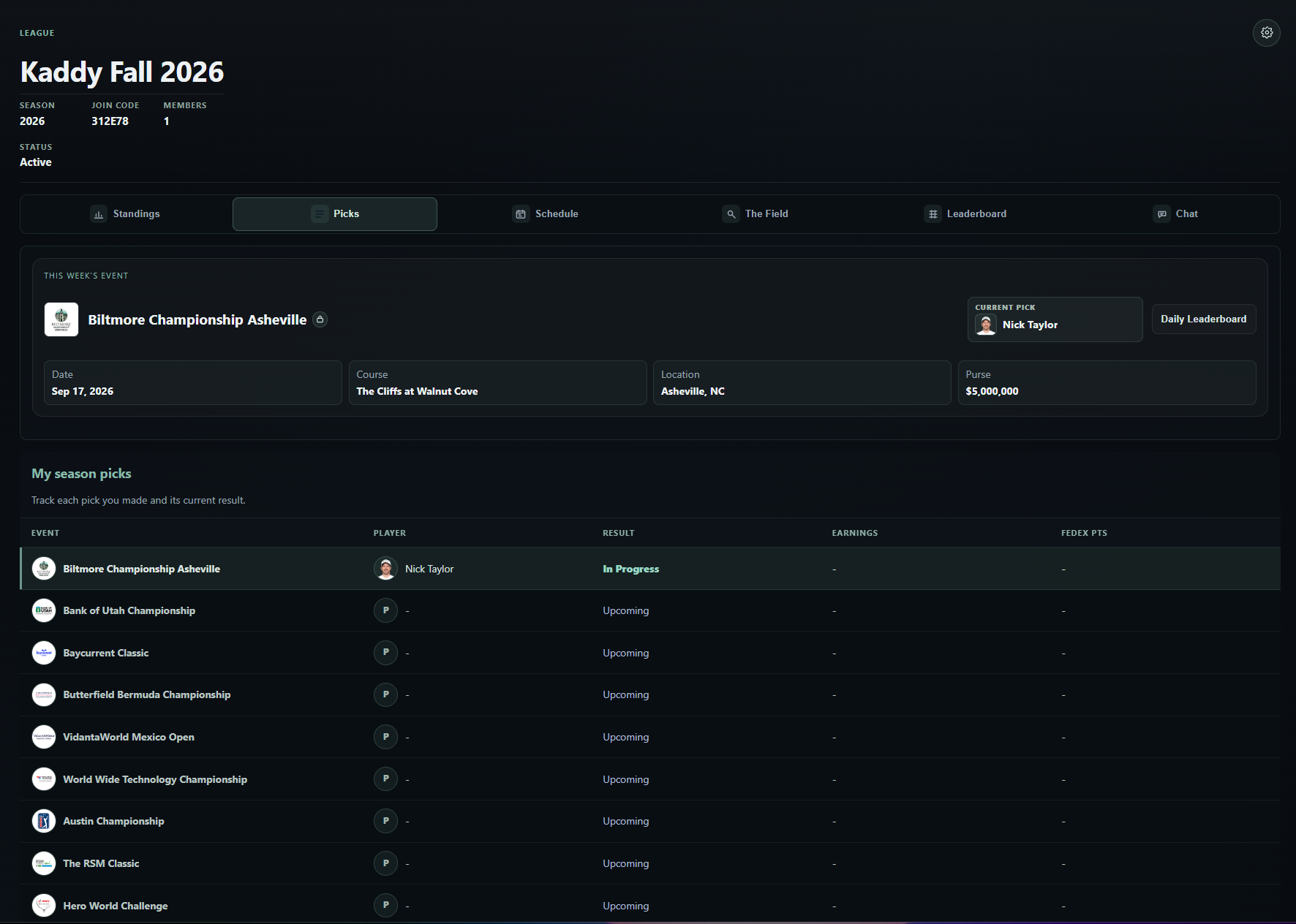
Start your One and Done golf league.
Bring your group together for weekly picks and automated standings.
Create a Free Account